
CPU
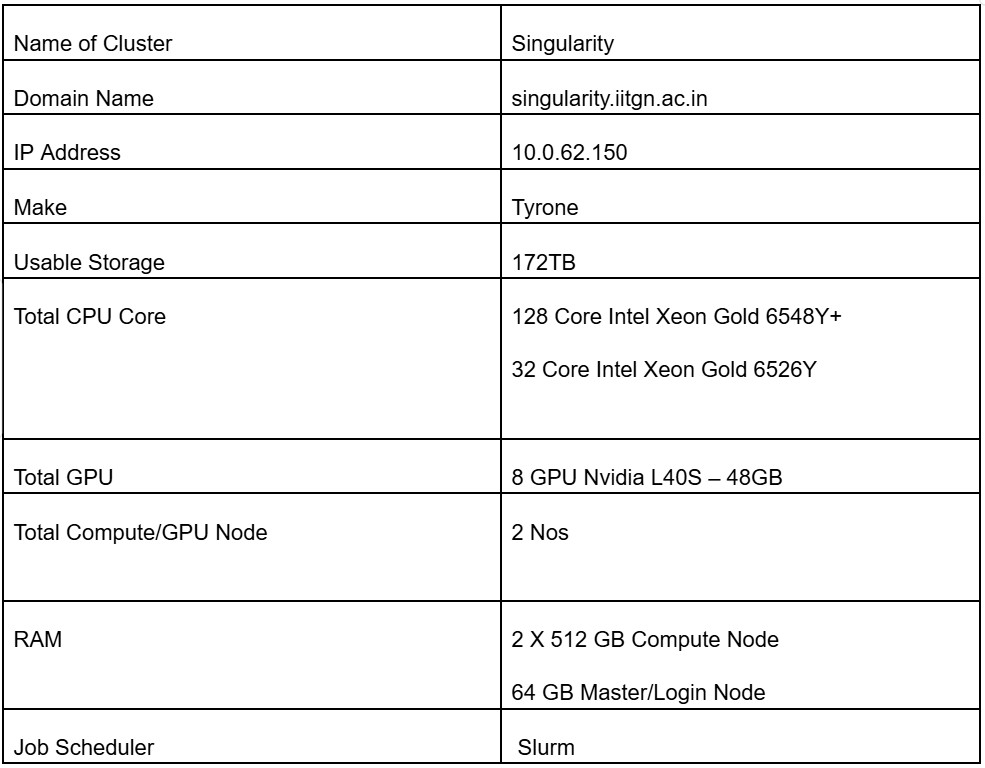
Intel Xeon Gold 6548Y+
CPU compute capacity for scheduled research workloads.
CSE high-performance computing
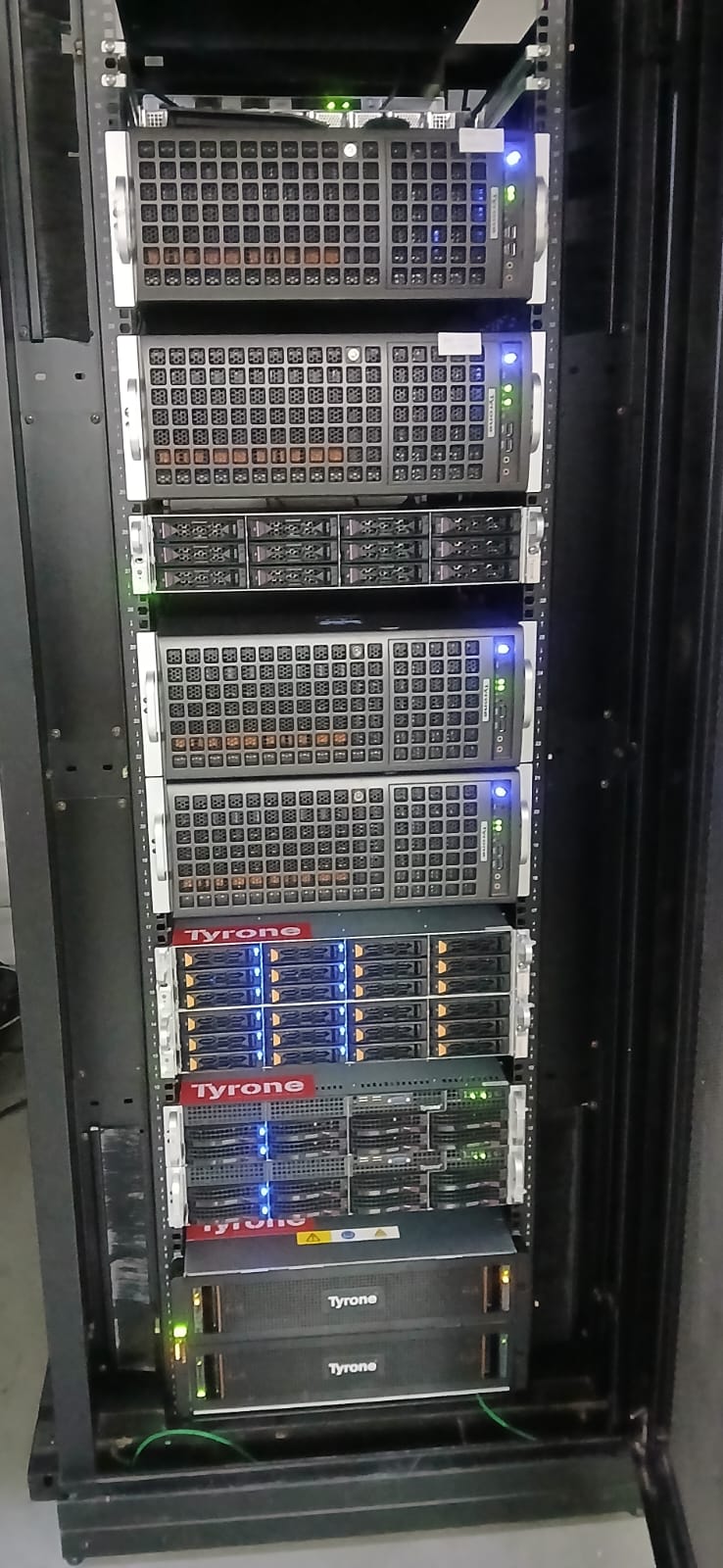
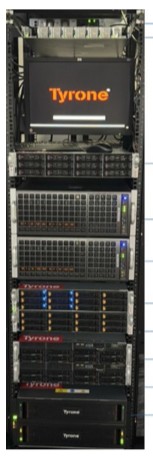
The Singularity HPC Cluster was commissioned in April 2025. It provides 128 CPU cores, 8 NVIDIA L40S GPU cards, and 172 TB of usable PFS storage space for departmental research workloads.
Commissioned
April 2025
CPU cores
128
GPU cards
8 NVIDIA L40S
Usable PFS storage
172 TB
Overview
Singularity complements institute-scale HPC resources by providing CSE-managed compute capacity for departmental users. Jobs are run through SLURM, with shared storage and a priority queueing model for fair access across users.

Specification
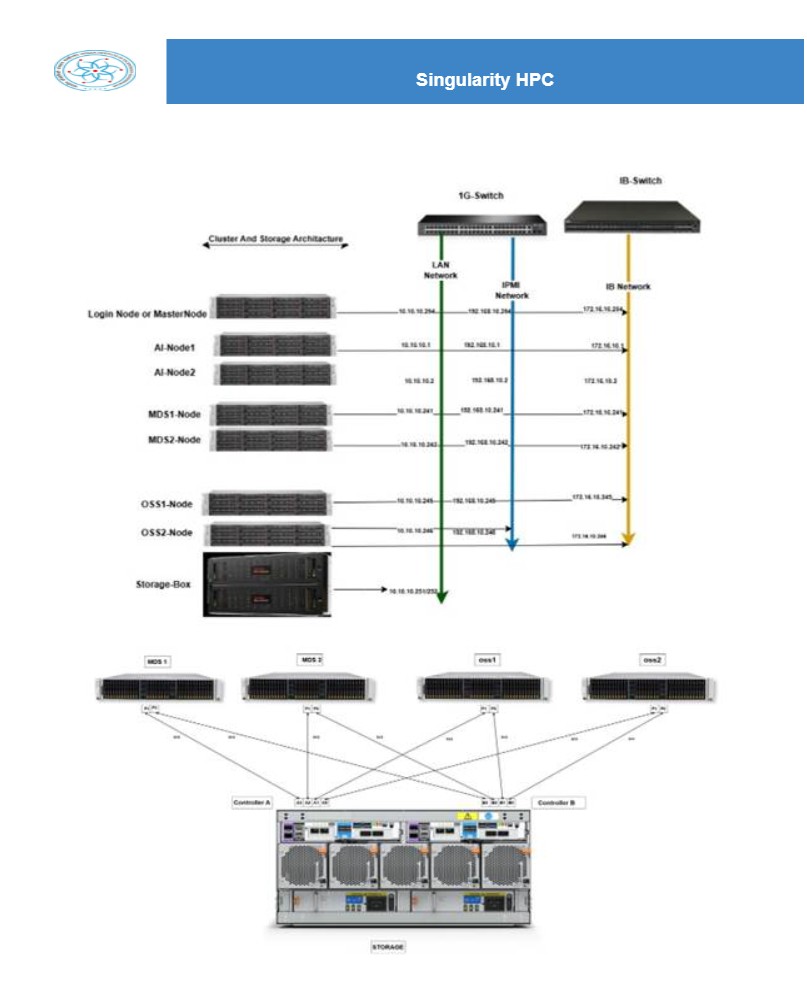
The cluster combines CPU compute, NVIDIA L40S GPU acceleration, parallel file-system storage, and InfiniBand connectivity for scheduled HPC workloads.
CPU
CPU compute capacity for scheduled research workloads.
GPU
GPU acceleration for AI, ML, DL, and related workloads.
Storage
Shared parallel file system storage available to users.
Interconnect
High-speed interconnect for cluster jobs.
Network
Network switching for cluster access and management.
Software
The legacy software listing groups applications into the following domains.
| Domain | Applications |
|---|---|
| AI / ML / DL | TensorFlow, pandas, NumPy, Anaconda |
| Compilers | MPI, OpenMPI, GCC |
| Other | JupyterHub, GitLab |
Access and policy
Use the access form and email workflow for new accounts. Cluster use is scheduler-based, and users are responsible for backing up their own files.
Open access formSubmit the access request form, then email raviraj.s@iitgn.ac.in with a copy to your supervisor. Include the required account duration and the software list you plan to run.
Each user receives 500 GB of quota in the home directory.
Jobs are handled through the SLURM scheduler. The scheduler automatically finds the required processing cores from available nodes, including partially used nodes. Users should not explicitly specify node numbers or number of nodes in job scripts. Priority-based queueing uses factors such as job size, queue priority, past and present usage, and time spent in the queue.
Users should back up files and folders periodically. The support team does not provide a backup mechanism for user data. Automatic email alerts are sent when home usage reaches 75% and 85%; administrator deletion may begin within 24 hours of the second alert. Files in the home directory are automatically deleted 21 days after the last timestamp or update.
No. Users are strictly not allowed to run jobs on master nodes or other nodes interactively. Jobs must be run only through scheduler scripts.
Funding
The Singularity funding page identifies the Science and Engineering Research Board as the funding agency.
Visit SERB
Contact
Address
AB13-403A, CSE Office, Computer Sci. & Engg. Department, IIT Gandhinagar, Palaj
Website
cse.iitgn.ac.in